
Custom checkout with Components
Build a your own checkout with embeddable payment interfaces.
Mollie Components is in beta. Have feedback? Let us know!
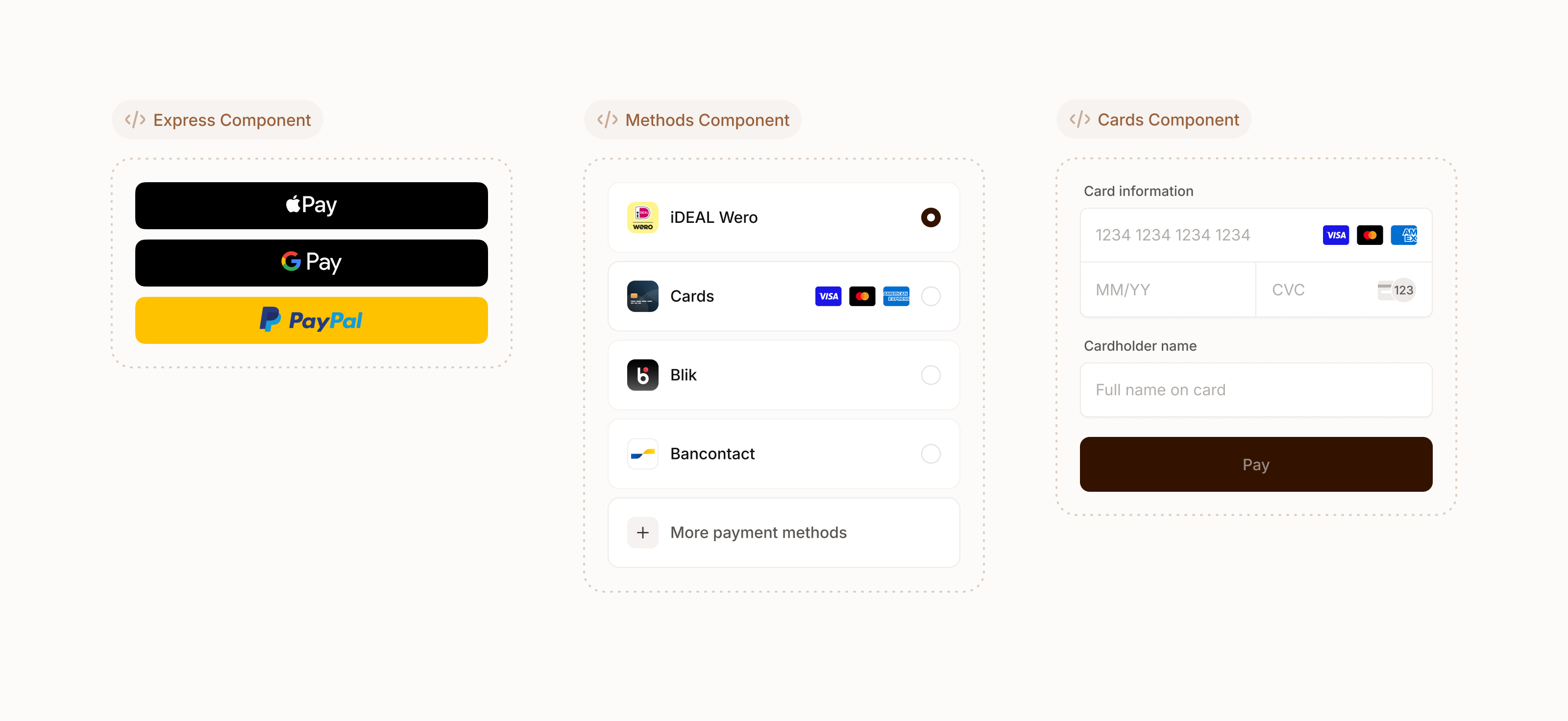
Mollie Components is a suite of pre-built UI components you can embed in your own checkout to accept payments. The components handle complex interactions like card input, 3DS challenges and express checkout so you don't have to build them yourself.
How it works
Mollie Components is a JavaScript SDK that mounts UI elements to your checkout page. It is powered by the Checkout Sessions API that facilitates the checkout process of your customer and handles payment creation.
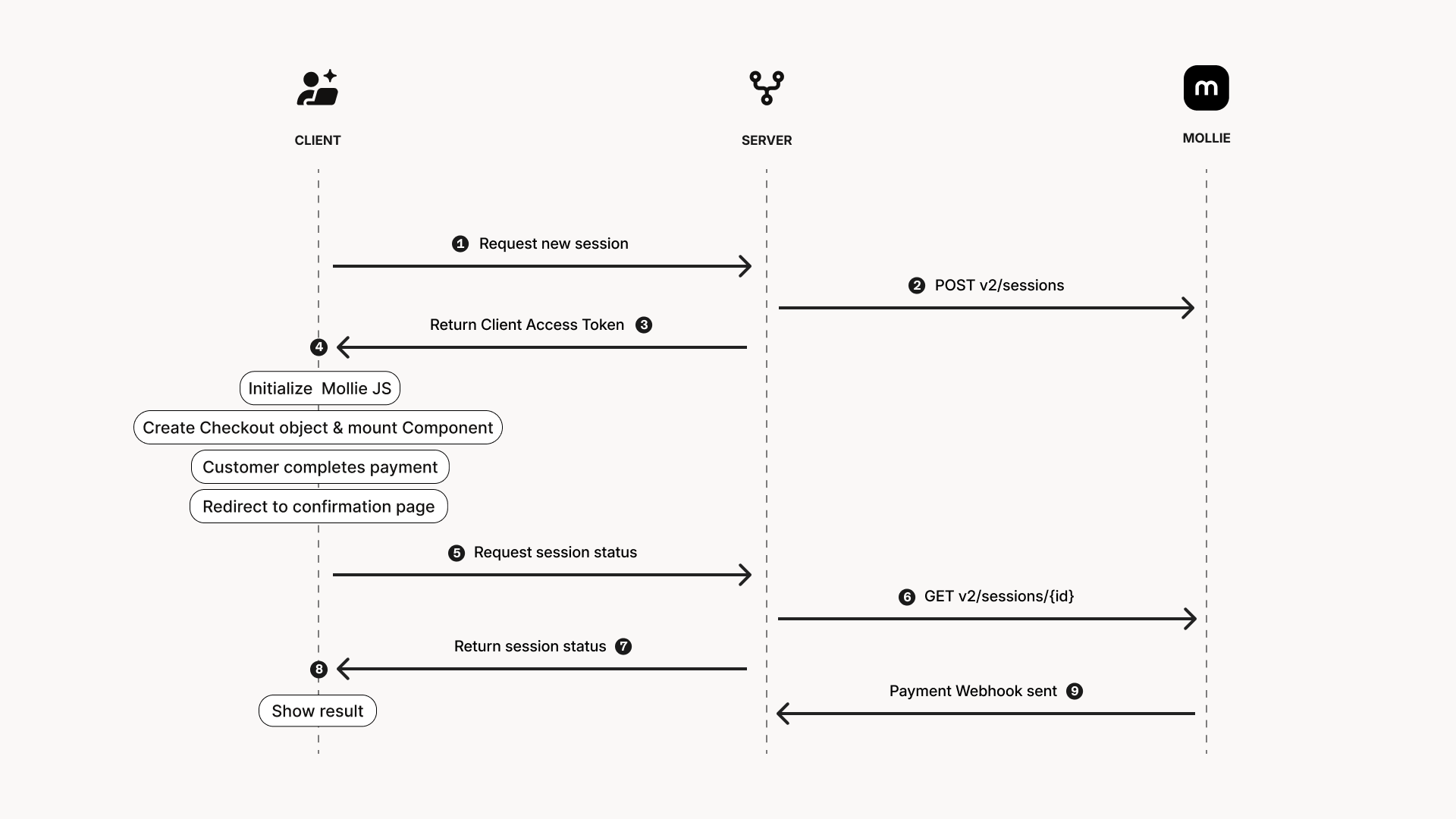
- When your customer is ready to checkout, you request a new Checkout Session from your server.
- Your server calls the Checkout Sessions API to create a new Checkout Session providing information such as amount, line items and a redirect URL.
- You send the Client Access Token from the Checkout Session to your front-end.
- In your front-end you initialize Mollie JS and mount a component.
- Your customer interacts with the component and completes the payment.
- Your customer is redirected upon completion.
- From your result page you request the status of the Checkout Session from your server.
- Your server calls the Checkout Sessions API to retrieve the Checkout Session.
- You return the status of the Checkout Session and show the outcome to your customer.
- Mollie will send a webhook for the Payment which can trigger fulfillment.
Create a Checkout Session from your Server
The Checkout Session represents your customer's flow through the checkout process. It communicates with Mollie Components to facilitate a smooth and secure checkout process. Create a new Checkout Session for every checkout attempt of your customer.
To create a Checkout Session make a request to the Checkout Sessions API. Include the following required fields in your request. See the Create Checkout Session reference for all properties.
| Property | Description | Required |
|---|---|---|
amount | Final amount your customer will need to pay. | ✅ |
description | A human friendly description for the checkout session. | ✅ |
lines | An array of line item objects with information about the products bought. | ✅ |
redirectUrl | The URL where your customer will be redirected to once they complete the payment. | ✅ |
Always make sure to calculate and set amounts from your server to prevent client-side tampering.
curl -X POST https://api.mollie.com/v2/sessions \
    -H "Authorization: Bearer live_dHar4XY7LxsDOtmnkVtjNVWXLSlXsM" \
    -d "amount[currency]=EUR" \
    -d "amount[value]=10.00" \
    -d "description=Order #12345" \
    -d "lines[0][description]=T-Shirt" \
    -d "lines[0][quantity]=1" \
    -d "lines[0][unitPrice][value]=10.00" \
    -d "lines[0][unitPrice][currency]=EUR" \
    -d "lines[0][totalAmount][value]=10.00" \
    -d "lines[0][totalAmount][currency]=EUR"\
    -d "redirectUrl=https://webshop.example.org/order/12345/" \
    -d "metadata={\"order_id\": \"12345\"}"
The created Session will include a clientAccessToken that is needed to initialize Mollie Components. Make sure to send this token to the client.
Personal information that you add to the Checkout Session (e.g. shipping address) may be exposed in the UI to your customer. To prevent leaking sensitive information ensure that only your customer has access to the Checkout Session.
Optional: Add a webhook URL to receive payment notifications
While it is recommended to use Next-gen Webhooks to receive notifications about the status of the payment, it is also possible to receive basic webhooks for the payment's lifecycle.
By setting the payment.webhookUrl on the Checkout Session, the payment's webhookUrl will be set. When there is a status change for the Payment your server will receive a classic webhook which you can use to sync the status with your system. See Webhooks for more information.
Add a Component to your checkout page
Mollie Components is a JavaScript SDK that allows you to embed UI elements into your checkout page. You can create and embed multiple components with a single Checkout Session. Mollie Components will handle all the interactions with your customer like collecting card details or showing interfaces for express payment methods. Depending on the payment method it may redirect the customer to complete the payment.
Prepare your front-end
Start by including Mollie.js on your checkout page.
<script src="https://js.mollie.com/v2/mollie.js"></script>On your checkout page add a DOM element where the component will be mounted.
<div id="mollie-component"></div>If you are using Content Security Policy, you should whitelist the
js.mollie.comdomain (e.g.script-src https://js.mollie.comandframe-src https://js.mollie.com). We recommend using a strict CSP on your checkout.
Create a Checkout object
The Checkout object is the client side representation of your customer's checkout session. It can be used to create new components or setup event listeners.
To create a Checkout object you will need the clientAccessToken from the Checkout Session. This ensures the client side component can communicate with Mollie. Additional options like locale can be passed as well.
const checkout = Mollie.Checkout(clientAccessToken, { locale: 'en-US' })Optional: Trigger side effect when your customer submits.
You can add a listener for a submit event to trigger any side effects before the payment is being processed. This can be useful if you need to do a stock reservation or if you want to already create an order in your back-end.
checkout.on('submit', (event) => {
  event.defer()
  try {
    await reserveStock()
    event.resolve()
  } catch(err) {
    event.reject()
  }
})
Optional: Using Mollie.JS v1 and v2 side by side.
If you need both v1 and v2 of Mollie.JS you can load v2 in compatibility mode to prevent namespace conflicts. This allows for targeting v2 using Mollie2 instead of Mollie.
<script src="https://js.mollie.com/v2/mollie.js?compatible"></script>const checkout = Mollie2.Checkout(clientAccessToken, { locale: 'en-US' })Create and mount a Component
Mollie offers several components for different use cases. With the Checkout object a component can be created and mounted to your DOM. It is possible to create multiple components with a single Checkout object.
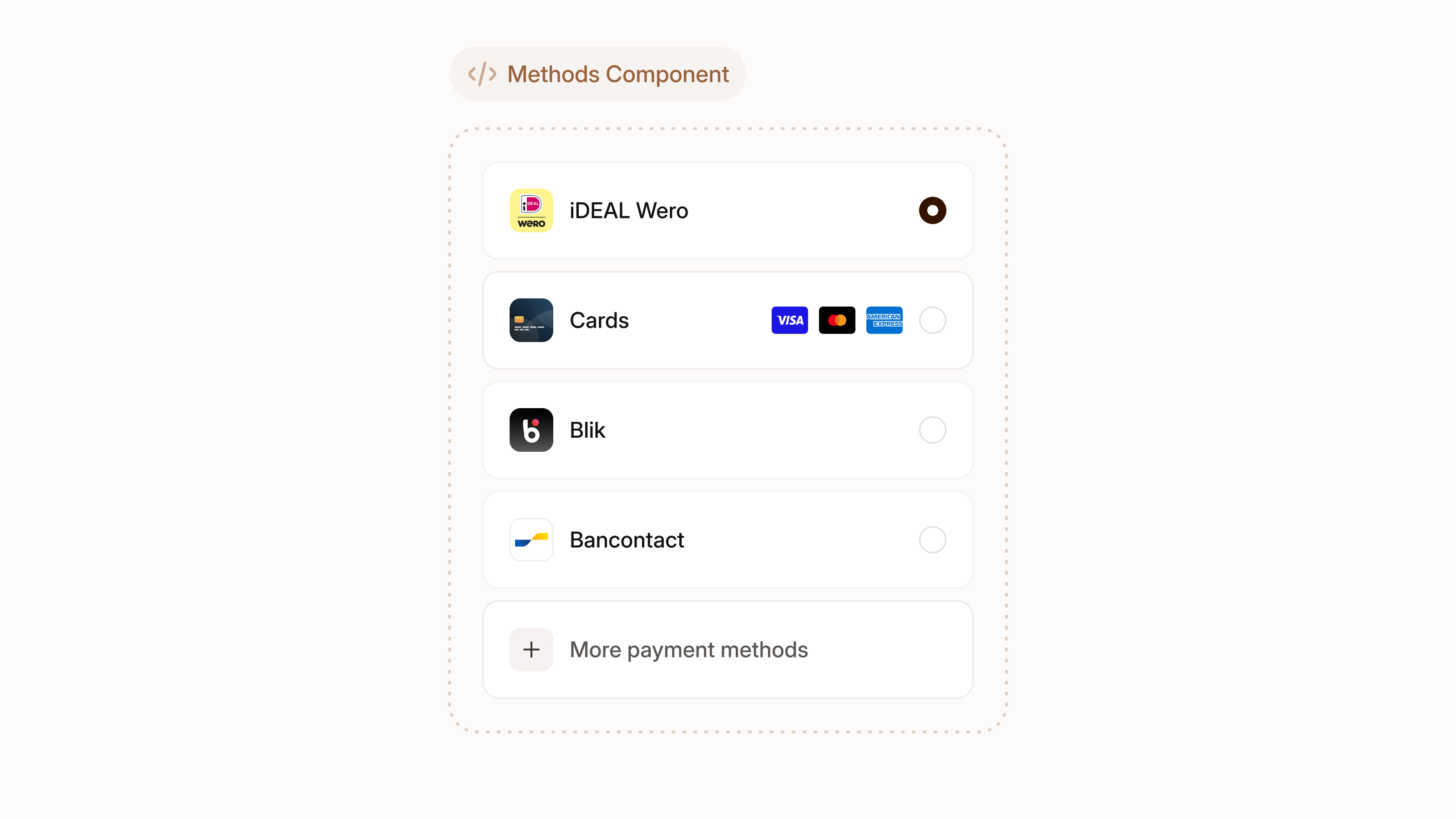
A component that renders a list of available payment methods the customer can choose from. For payment methods that require additional information, such as cards, the component will automatically show the correct input fields.
The Methods Component currently supports the following payment methods: bancomatpay, bancontact, belfius, blik, creditcard, eps, ideal, mbway, multibanco, mybank, paysafecard, satispay, swish, twint.
const methodsComponent = checkout.create('methods-component')
methodsComponent.mount(document.getElementById('mollie-component'))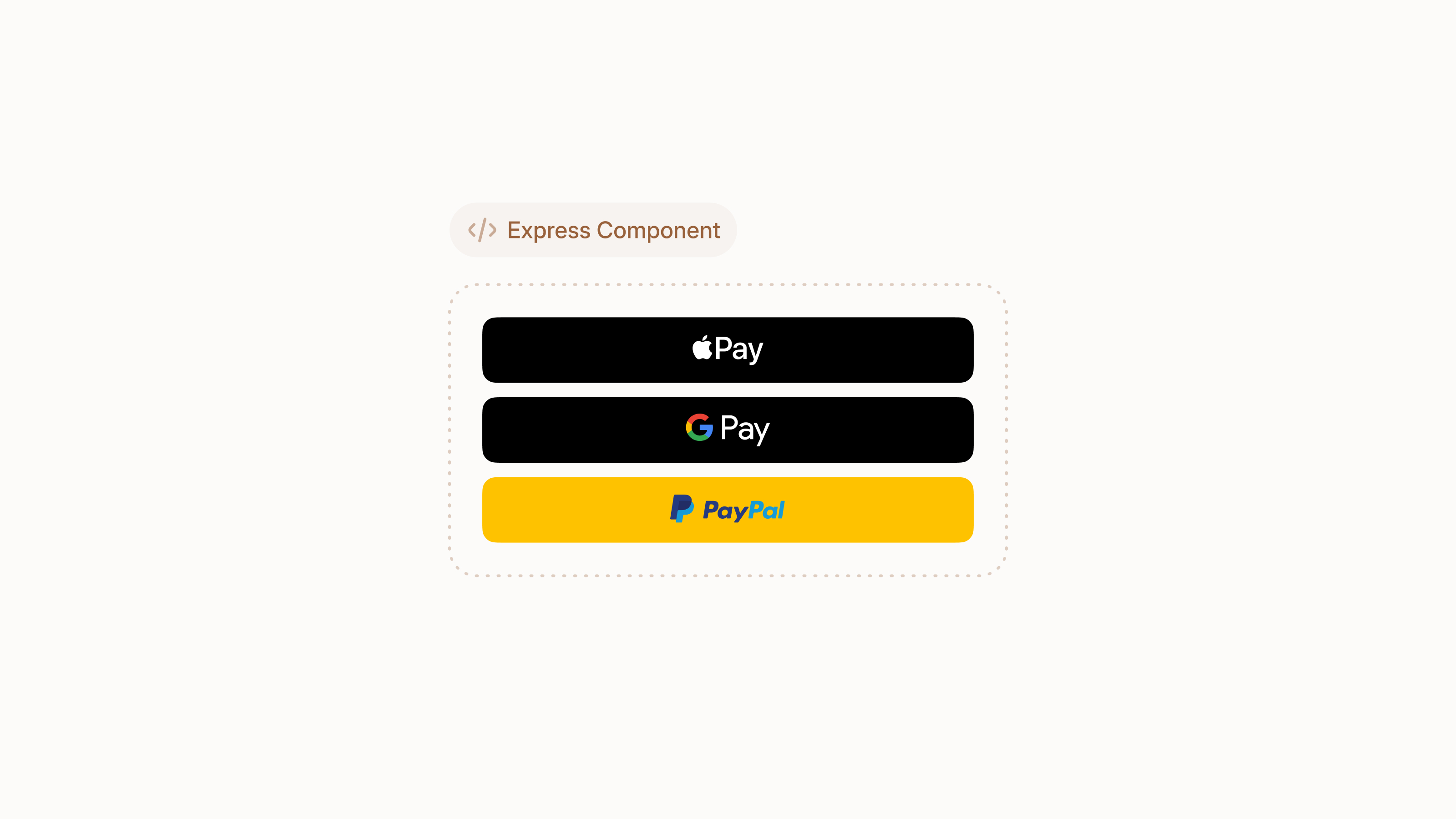
A component that renders payment buttons for express checkout. Supports Apple Pay, Google Pay and PayPal. The Express Component can also collect your customer's contact details and surface shipping options for one click checkout.
Apple Pay requires you to serve your checkout over HTTPS and place a domain validation file on the domain you want to use Apple Pay. The presence and validity of this file will be validated by Apple. Download the domain validation file and place it on your server at
https://[domain]/.well-known/apple-developer-merchantid-domain-association.
The component will automatically show all available buttons. You can hide specific buttons by setting the visibility property to hidden in the options object.
const options = {
  buttons: {
    googlepay: {
      visibility: 'hidden'
    }
  }
} 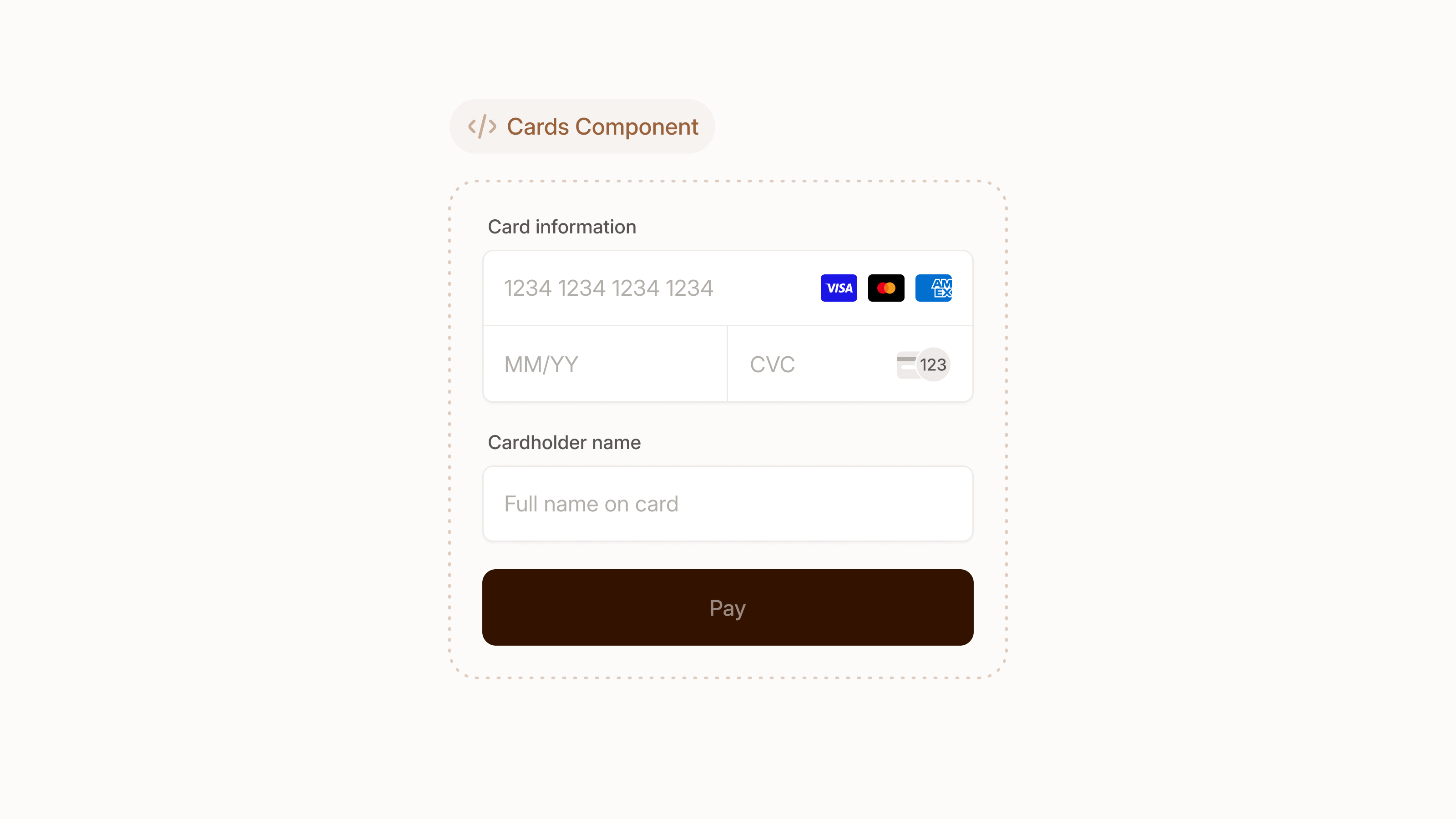
A stand-alone Card Component to accept card payments securely, compliant and frictionless. It supports advanced features out of the box such as embedded 3DS challenges and support for co-branded cards.
const cardComponent = checkout.create('card-component')
cardComponent.mount(document.getElementById('mollie-component'))
Handle the result
Mollie Components will facilitate the entire payment process. Once all information is available to process the payment, a new Payment will be created automatically from the Checkout Session. When the process is completed you show the outcome to the customer and trigger any fulfilment logic.
Show the result to your customer
When your customer has completed the payment they will be redirected to the redirectUrl you provided on the Checkout Session. From your server you can call the Checkout Sessions API to retrieve its status which you can use to inform your customer of the outcome.
The Checkout Session can have one of the following states:
| Status | Description |
|---|---|
open | The customer did not complete the checkout, send your customer back to the checkout. |
expired | The customer did not complete the checkout and the session is expired. You will have to create a new Checkout Session. |
completed | The customer completed the checkout successfully. |
Triggering fulfilment
Fulfilment can be triggered asynchronously based on the webhook of the Payment. You can subscribe to our Next-gen Webhooks or set the payment.webhookUrl on the Checkout Session for our classic webhooks. It is not recommended to trigger fulfilment based on the status of the Checkout Session.
Any provided
metadataon the Checkout Session will also be available on the Payment. You can use this to link the Payment to the order in your system.
Limitations
Mollie Components is still being developed and new features are added constantly. Currently known limitations include:
- Limited payment method support, see the Create and mount a Component section.
- Test-mode support is limited.
Updated 3 days ago