
Application fees
Application Fees allow your platform to collect a fee on every payment you process on behalf of a connected account. You define the amount, flat, percentage (or a combination of those) and Mollie moves it to your balance automatically when the payment succeeds.
Your connected accounts pay their own Mollie transaction fee and remain liable for any refunds or chargebacks. The Application Fee sits entirely on top of that.
How the money moves
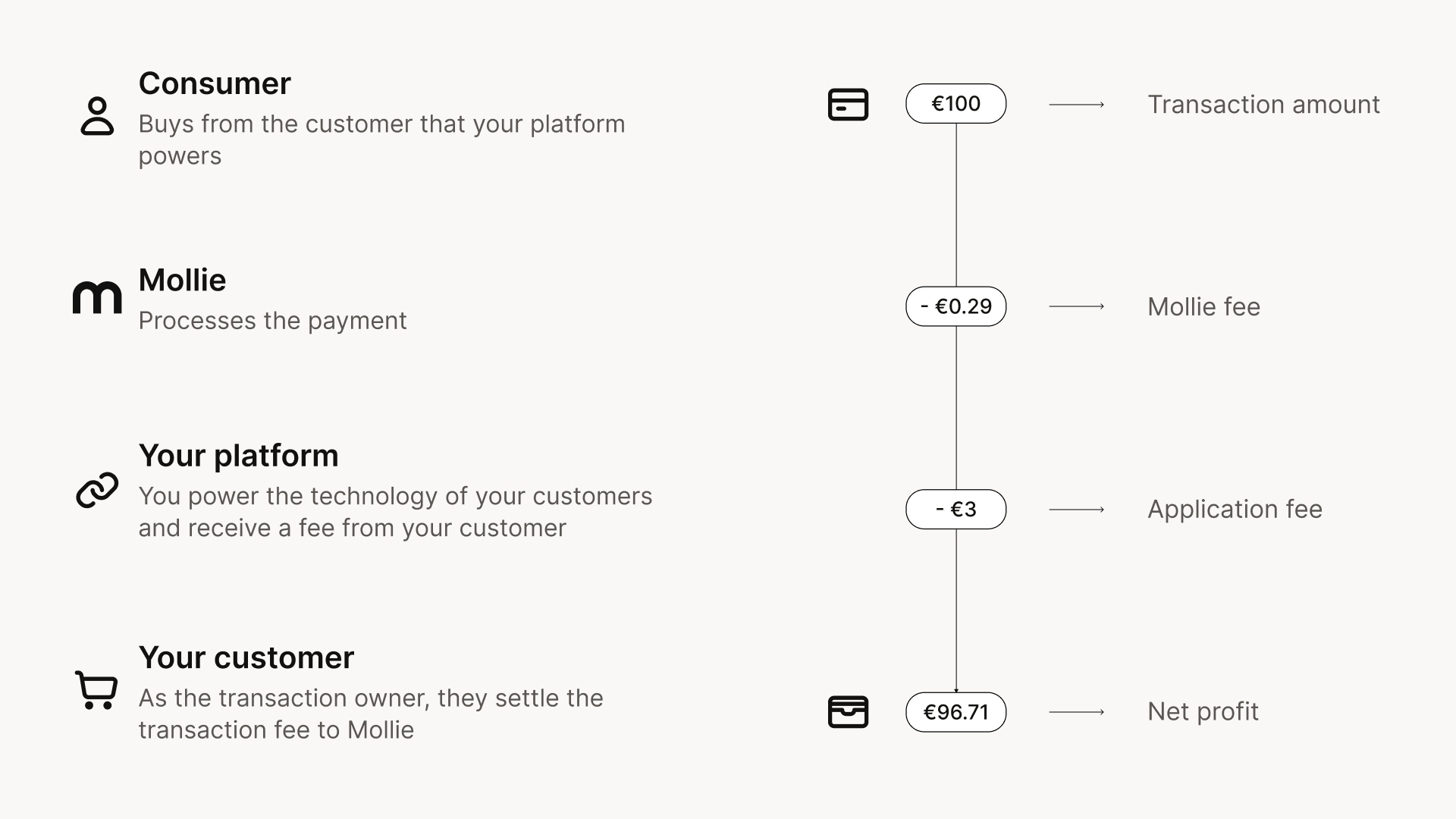
When a payment succeeds, Mollie automatically transfers the Application Fee from your connected account's balance to yours. Your connected account sees it as a named line item on their settlement report, using the description you provided when creating the payment.
For how this fits the platform money-flow model, see Core concepts.
You are responsible for invoicing your connected accounts for the Application Fees you charge and for handling VAT correctly on those fees.
Creating an Application Fee
Add the applicationFee object to your Create payment or Create subscription request:
{
  "amount": { "currency": "EUR", "value": "10.00" },
  "description": "Order #12345",
  "redirectUrl": "https://example.com/order/12345",
  "webhookUrl": "https://example.com/webhooks/mollie",
  "profileId": "pfl_zcfJRjkf6P",
  "applicationFee": {
    "amount": { "currency": "EUR", "value": "1.50" },
    "description": "Platform fee for order #12345"
  }
}
The applicationFee.description appears in your settlement reports for both you and your connected account: we recommend using something descriptieve that makes reconciliation easy for both sides.
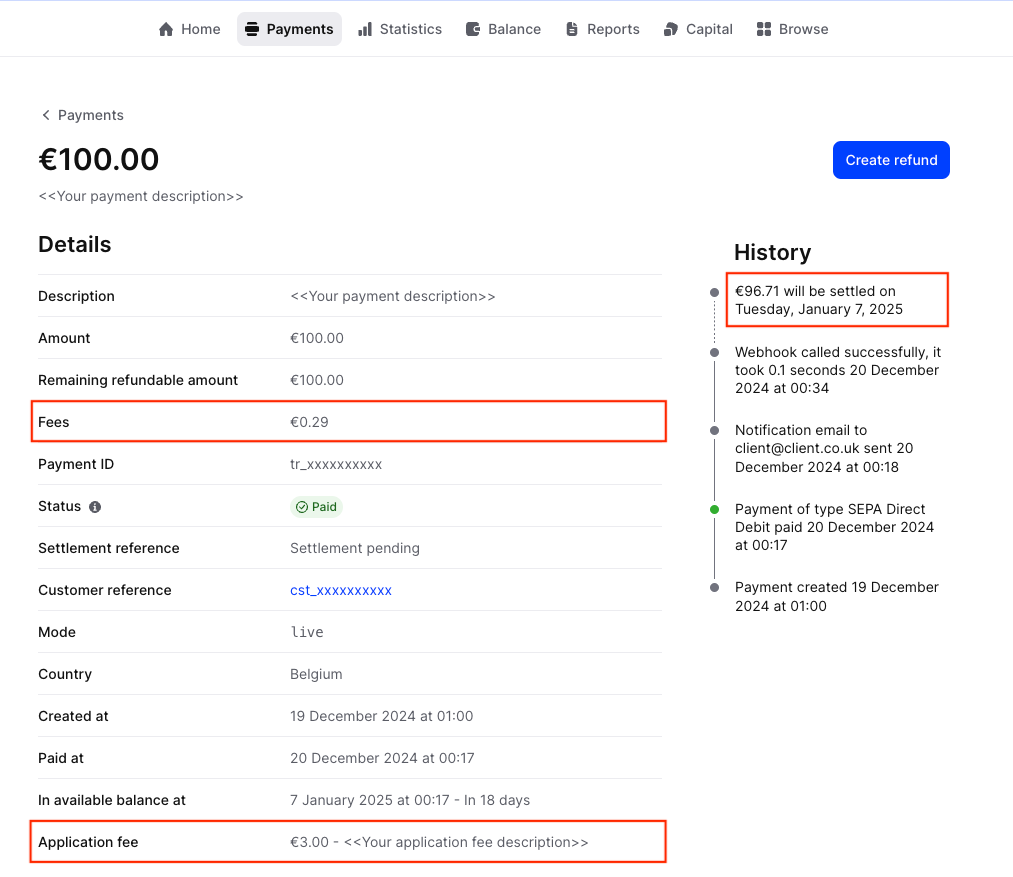
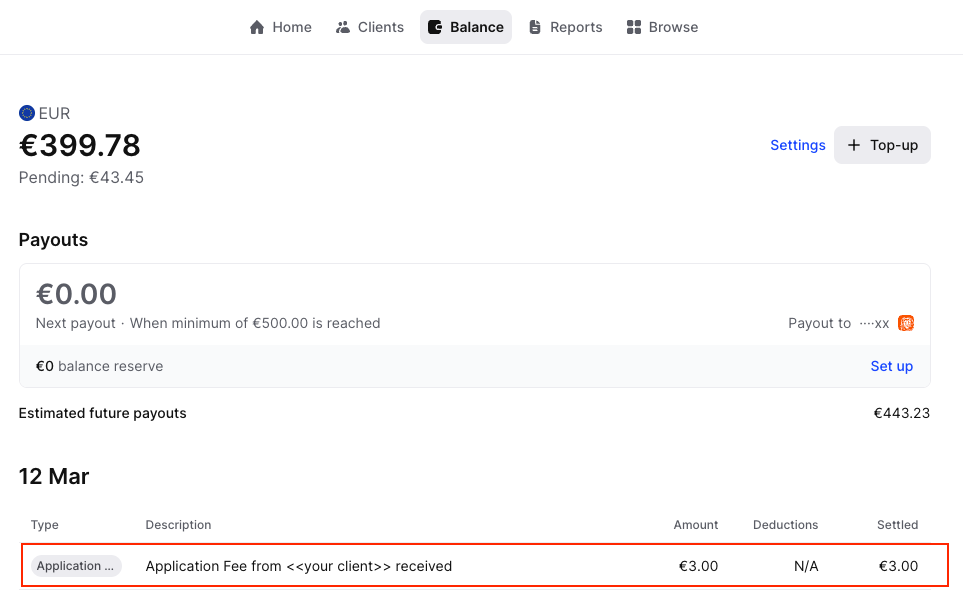
You can find all received Application Fees in the Balance tab of your Mollie Web App.
Fee limits
The ceiling depends on the API you are using and your commercial arrangement with Mollie.
Payments API: the max fee is capped by a formula: `Max fee = payment amount − (€0.35 + 6% × payment amount)`
For a €10.00 payment: €10.00 − (€0.35 + €0.60) = €9.05 maximum
The minimum is €0.01.
Orders API (deprecated): a 10%/€2.00 cap applies.
Buy-rate commercial arrangement: if your platform is on a buy-rate agreement with Mollie, the formula-based cap above does not apply. The effective ceiling is higher. Contact your partner manager for the specific limits that apply to your account.
Refunds
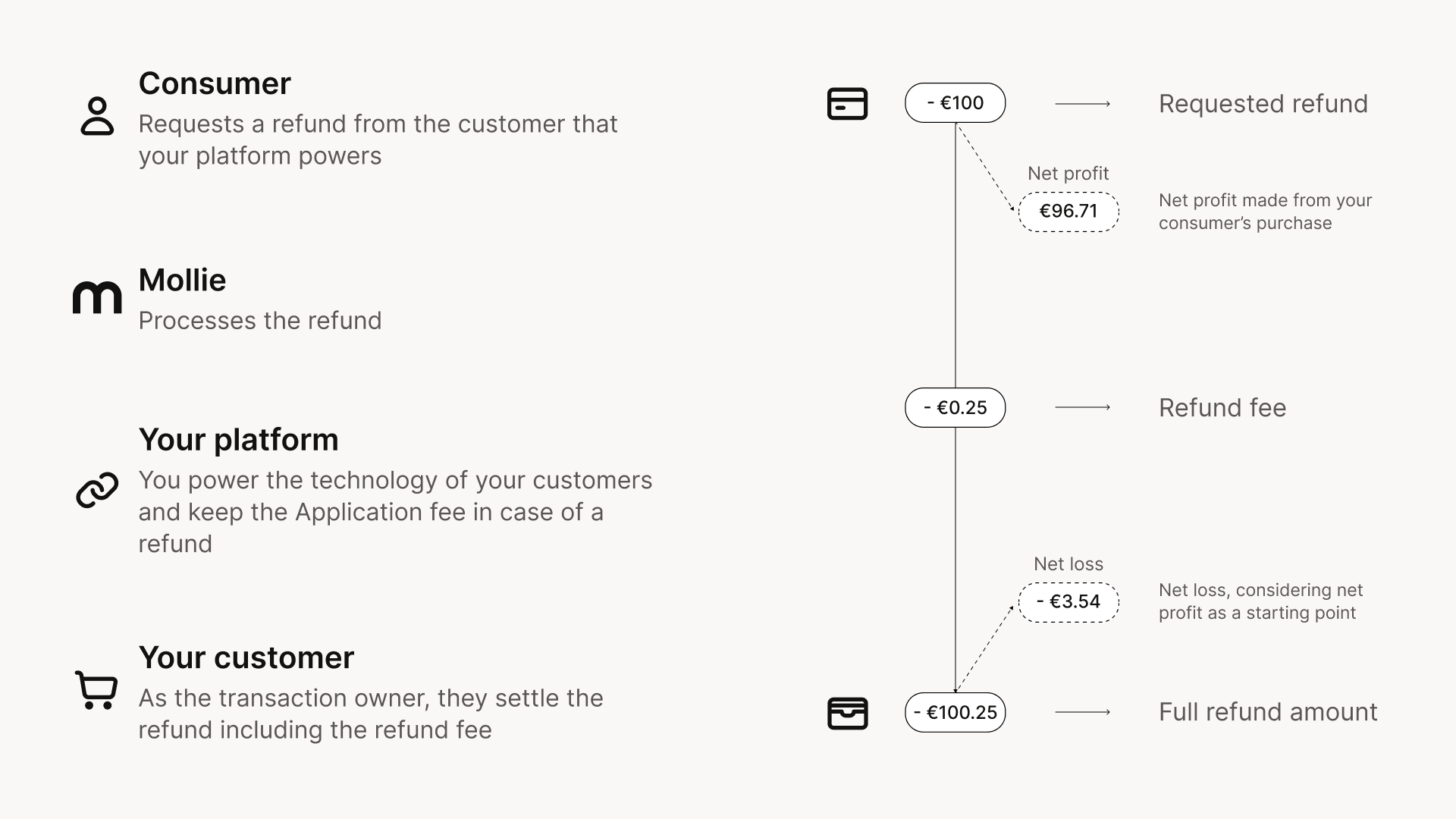
Application Fees are non-refundable. When your connected account refunds a consumer, the full refund amount is deducted from their balance; your Application Fee stays in your balance.
Finding your Application Fees
- Mollie Web App → Balance: a quick overview of received Application Fees per transaction.
- Transaction Margin Report: a CSV export with per-transaction fee details, broken down by connected account and payment method. The most complete view for Connect partners. Generate it from Reports → Transaction Margin in your Web App.
- Balance Transactions API: programmatic access to all movements within your balance, including Application Fees. Use this for automated reconciliation.
- Settlements API: Application Fees included per settlement payout. Useful for matching fees to bank payouts.
- Settlement Report: a
CSVexport of all transactions within a settlement, including Application Fees. Useful for bookkeeping purposes.
Testing
Test payments do not trigger any balance movement: no Application Fee is transferred and no Mollie transaction fee is charged.
To verify your fee is working correctly, make a small live payment. Once completed, the Application Fee will appear in the Balance tab of your Mollie Web App.
Updated 25 days ago