Improved
Business Accounts: authorization data
4 months ago
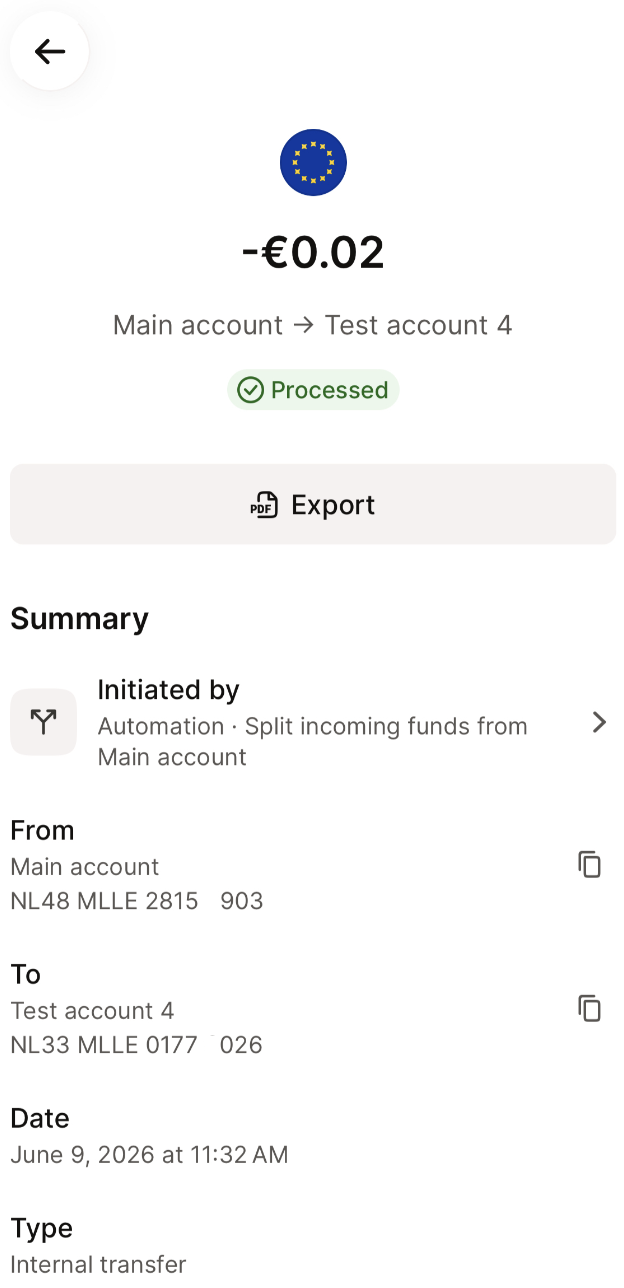
When multiple team members can move funds around, accountability matters. You can now see at a glance who authorized payment, issued a card, or set up a scheduled transfer — without digging through logs or asking around.
- Transaction details — each transaction now shows the person or rule responsible: the cardholder for card payments, the team member who authorized transfer or the automation rule that triggered it.
- Scheduled transfer detail — see who created the scheduled transfer and when.
- Card detail — see who issued the card and when, directly in card settings.
- Automation detail — see who created the automation rule and when.